HubSpot vs. Spreadsheets: An Honest Guide for SME Founders Who Are Not Tech People
 By
By
First, Let Me Say Something That Might Surprise You
Your spreadsheet is not the problem. Let me say that again, clearly, because most articles about CRM tools open by making you feel like using a spreadsheet for your business contacts is somehow embarrassing or naive. It is not. A well-organised Google Sheet is a genuinely powerful tool. Millions of successful businesses around the world run significant parts of their operations on spreadsheets, and they will continue to do so. If your spreadsheet is working for you right now, keep using it.
This post is not here to tell you that spreadsheets are bad. It is here to help you understand, very honestly and without jargon, what a spreadsheet can and cannot do , and at what point a tool like HubSpot starts to make more sense than your current setup. Because there is a specific moment in the life of a growing business when the spreadsheet that served you well starts to quietly cost you money. And that moment is worth knowing about before it arrives.
If you are a founder or small business owner in Myanmar or Southeast Asia who uses Google Sheets to manage contacts, leads, or customers , and you have heard of HubSpot but assumed it was too complicated, too expensive, or designed for companies much bigger than yours , this guide is written specifically for you.
No technical background required. No jargon. Just an honest, side-by-side look at what each tool does, when each one makes sense, and how to know which one your business needs right now.
Part 1: What a Spreadsheet Is Actually Good At
Before we compare anything, let us give credit where it is due. Spreadsheets , whether Google Sheets or Excel , are extraordinarily good at several things that matter a lot to small businesses.
They are free and immediately accessible
Google Sheets costs nothing. It requires no setup, no training, and no account beyond a Gmail address. Every person on your team already knows how to use it at a basic level. When you are starting a business and every baht counts, this is not a trivial advantage. The fact that you can open a new sheet and start tracking contacts in five minutes is genuinely valuable, and it is a meaningful part of why spreadsheets dominate early-stage business operations around the world.
They are infinitely flexible
A spreadsheet does exactly what you tell it to do, nothing more and nothing less. You can structure it any way you like. You can add columns for whatever information matters to your specific business , condo budget range, preferred Bangkok neighbourhood, Myanmar city of origin, number of children, anything. You can sort, filter, colour-code, and create formulas to calculate whatever you need. This flexibility is real, and it is something that most software tools, including CRMs, actually struggle to match in their early setup stages.
They are easy to share and collaborate on
Google Sheets is collaborative by design. You can share a sheet with your whole team, set permissions, and see who made what change and when. For a two or three person operation, this works well enough for basic contact management. Everyone can see the same information without any additional tools or subscriptions.
They are a great starting point
There is no shame in using a spreadsheet when you are getting started. In fact, I would argue that building your contact management in a spreadsheet first is genuinely useful , it forces you to think clearly about what information you actually need to track, which makes the eventual move to a CRM much smoother because you already know what your data structure should look like.
Spreadsheets are excellent tools. The question is not whether they are good. The question is whether they are right for where your business is right now , and where you want it to go.
Part 2: The Five Things a Spreadsheet Cannot Do
Here is where the honest conversation begins. Spreadsheets have very specific and significant limitations when it comes to managing a growing customer base. These are not minor inconveniences , they are structural gaps that, at a certain business size and ambition, start to actively cost you money.
1. A spreadsheet cannot tell you what to do next
Open your contact spreadsheet right now. How do you know which person to follow up with today? You have to read through every row, remember the context of each conversation, check when you last contacted them, and mentally prioritise. Every single time. A spreadsheet stores information, but it does not process it into action. It cannot look at your data and say 'you have not spoken to this person in 12 days and they were interested in a two-bedroom condo under 30,000 baht , you should follow up today.' You have to do that thinking yourself, every morning, from scratch.
This is fine when you have 20 contacts. It becomes genuinely difficult with 80, and essentially impossible with 200. The cognitive load of managing a growing pipeline from a spreadsheet is one of the most underestimated costs of the tool , it is paid not in money, but in mental energy and missed opportunities.
2. A spreadsheet cannot connect to your website or email
When someone fills in a contact form on your website, does their information automatically appear in your spreadsheet? Almost certainly not. You or someone on your team has to manually copy it over. When you send an email to a contact, does your spreadsheet record that you sent it, what you said, and whether they opened it? No. When someone visits your website and looks at your listings three times in a week without contacting you , a strong signal of genuine interest , does your spreadsheet flag that for you? Absolutely not.
A spreadsheet is an island. It does not connect to anything else in your business. Every piece of information that enters it was put there manually by a human being. And every piece of information it is missing , about website behaviour, email engagement, or social media interactions , is a blind spot that costs you leads you never knew you had.
3. A spreadsheet cannot send emails for you
Every follow-up email you send to a lead is sent manually. You write it, you address it, you send it. If you have a standard message you send to everyone who makes a new inquiry , a welcome email, a property listing, a 'just checking in' note , you are writing or copy-pasting that message, individually, every single time. There is no automation. There is no sequence that triggers when someone downloads your guide or books a consultation. There is no email that goes out at 11pm on a Sunday when someone fills in your contact form, because you are asleep.
For a business that relies on fast, warm response to be competitive , and in real estate or any high-trust service business, speed of response matters enormously , this manual bottleneck is a genuine competitive disadvantage.
4. A spreadsheet cannot show you your pipeline at a glance
How many active leads are you currently working with? How many are in early research, how many are ready to decide, how many have gone quiet? What is the total potential value of your current pipeline? How many leads did you convert last month, and what was the average time from first contact to closed deal? These are the questions that help you run your business strategically , allocating time, setting revenue expectations, and identifying where you are losing people. A spreadsheet can theoretically answer these questions, but doing so requires building custom formulas, maintaining perfect data discipline, and spending time on analysis that could be automated.
5. A spreadsheet breaks down with more than one user
The moment more than one person is managing contacts in your business, a shared spreadsheet becomes a coordination problem. Who owns which lead? What did the other person say in their last conversation? Has this contact already been followed up this week, or did two people independently send them messages on the same day? Without a system that logs every interaction against each contact and makes that history visible to everyone, you will have collisions, gaps, and the quiet embarrassment of a client who gets contacted twice with different information by two members of the same team.
Part 3: The Side-by-Side Comparison , Managing 50 Leads
Let us make this concrete. Imagine you are managing 50 active leads , people who have expressed interest in your product or service and are somewhere in the process of deciding whether to buy. Here is what that looks like in a spreadsheet versus HubSpot, task by task.
The table below compares the two tools across eight everyday tasks:
|
Task |
Spreadsheet |
HubSpot |
|
New lead from website form |
Manual copy-paste into sheet |
Auto-created contact in CRM |
|
Send welcome email |
Write and send manually |
Sent automatically within minutes |
|
Know who to follow up with today |
Read every row, decide manually |
Task list auto-generated by CRM |
|
Log a phone call or meeting note |
Type note in a cell, hope team sees it |
Log note on contact record, team notified |
|
See all activity with one contact |
Scroll notes column, check email thread |
Full timeline on contact profile |
|
Know if a lead opened your email |
Not possible |
Tracked automatically per contact |
|
See pipeline value and forecast |
Build formulas manually, error-prone |
Live dashboard, always up to date |
|
Re-engage cold leads automatically |
Find them manually, send one by one |
Automated re-engagement sequence |
Looking at this table, the difference is not about complexity , it is about automation and visibility. HubSpot does not require you to be more organised or more disciplined than you are now. It builds the organisation and the discipline into the system itself, so the system does the work that currently lives in your head.
Part 4: The Moment Spreadsheets Start Costing You Money
There is not a single dramatic moment when a spreadsheet stops working. It is more like a slow leak , small, almost invisible losses that compound over time until one day you add them up and realise how much has quietly slipped away. Here is what that slow leak looks like in practice.
The forgotten follow-up
A lead messages you, you have a great conversation, they say they need a few days to think about it. You tell yourself you will follow up on Thursday. Thursday comes, something else is urgent, and by the time you remember, it is the following Tuesday. The lead has gone cold , not because they were not interested, but because the gap in communication allowed doubt to creep in and another option to present itself. This happens not once but repeatedly, across your whole pipeline, at a frequency that is hard to see when each instance feels like a small, isolated miss.
The invisible warm lead
Someone visits your website three times in five days, reads your pricing page twice, and downloads your guide. In HubSpot, this person would be flagged as a highly engaged, warm lead , their behaviour tells a clear story of someone getting close to a decision. In a spreadsheet world, this person is invisible to you. You have no idea they exist unless they take the step of contacting you directly. And many interested buyers never take that step , they research, they evaluate, they almost reach out, and then they find someone else who was more visible at the right moment.
The slow response problem
Research consistently shows that the speed of response to an inbound inquiry is one of the strongest predictors of conversion. According to data from Lead Response Management, leads contacted within five minutes of submitting an inquiry are 100 times more likely to connect and 21 times more likely to convert than leads contacted after 30 minutes. In a spreadsheet system, every response requires a human being to notice the inquiry, open the email, compose a reply, and send it. In HubSpot, an automated welcome email goes out within seconds , even when you are asleep, in a meeting, or showing a property on the other side of Bangkok.
The team knowledge problem
When your best salesperson or your most relationship-heavy team member leaves , or goes on holiday for two weeks , how much of your active pipeline leaves with them? If the relationship history lives in their head or their personal email thread rather than in a shared system, the answer is: too much. A CRM makes your business less dependent on any single person's memory and more dependent on a system that belongs to the company.
The reporting gap
Every business decision you make about marketing, sales, and growth should ideally be informed by data. Which channel is generating the highest quality leads? Which stage of your pipeline has the highest drop-off rate? Which type of client has the shortest time from first contact to closed deal? In a spreadsheet system, answering these questions requires manual analysis , pulling data, building formulas, creating charts , every single time you want an answer. In HubSpot, these answers are waiting for you on a dashboard that updates in real time, every morning.
Part 5: What HubSpot Actually Is , Explained Without Jargon
Let me describe HubSpot in plain language, because the way it is usually described , 'an all-in-one inbound marketing, sales, and CRM platform' , is technically accurate and completely unhelpful for someone who has never used it.
HubSpot is, at its core, a database of everyone who has ever interacted with your business , combined with a set of tools that help you communicate with those people more effectively and track what happens as a result. That is it. The complexity and the jargon sit on top of that simple idea, but the idea itself is simple.
The contact record
Every person in HubSpot has a contact record , think of it as a very rich version of a row in your spreadsheet, but with superpowers. The contact record shows you the person's name, email, phone number, and whatever custom information you have added (budget, preferred neighbourhood, timeline, source). But it also shows you a complete activity timeline: every email sent to them and whether they opened it, every form they filled in, every page on your website they visited, every call you logged, every note your team added. The entire relationship history in one scrollable view.
The pipeline
HubSpot's deal pipeline is a visual representation of where every active opportunity sits in your sales process. Picture a set of columns on a screen , New Inquiry, Consultation Booked, Viewing Arranged, Offer Stage, Closed , and a card for each active buyer that moves from left to right as they progress. At any moment, you can look at the pipeline and see exactly how many opportunities are at each stage, their total combined value, and which ones have been sitting too long without movement.
The automation
This is where HubSpot goes beyond anything a spreadsheet can do. You can set up rules that trigger actions automatically based on what a contact does. If someone downloads your guide, they automatically receive a welcome email. If a lead has not been contacted in seven days, you automatically get a reminder. If someone visits your pricing page three times without contacting you, you get an alert. These automations run silently in the background, 24 hours a day, doing the follow-up and flagging work that would otherwise require constant manual attention.
The forms and website integration
HubSpot forms can be embedded on any website. When someone fills in a HubSpot form, they automatically become a contact in the CRM , no manual copying required. The HubSpot tracking code, which takes about five minutes to install on any website, then tracks every page that contact visits in the future, adding those visits to their contact record automatically. This is the connection between your website and your contact database that a spreadsheet can never provide.
For a practical look at how these tools fit into the broader digital marketing stack used by SEA businesses, the Tools for Digital Marketers in Myanmar guide covers the full toolkit that small teams in the region use to run effective digital operations.
Part 6: The 'Is It Complicated?' Question , Answered Honestly
This is the question I get asked most often by founders who have looked at HubSpot's website and felt slightly overwhelmed. The homepage lists features like 'marketing automation,' 'predictive lead scoring,' and 'multi-touch revenue attribution' , none of which are things a small business owner in Bangkok needs to worry about on day one. Or day one hundred, for that matter.
Here is the honest answer: HubSpot is as complicated as you make it. The platform has a free tier and a basic paid tier that are genuinely straightforward , designed for exactly the kind of business you are running. The features that make it feel intimidating are advanced tools that large marketing teams use. You do not need them. You need the contact database, the pipeline, the forms, the email sequences, and the basic reporting. These features are clean, visual, and learnable by anyone who can use Google Sheets.
What the learning curve actually looks like
Most founders who start using HubSpot for the first time describe the experience in roughly three stages:
- Week 1 , Familiarisation: The interface is unfamiliar, but the logic is intuitive. You are essentially navigating a very well-designed database. Most people feel comfortable with the basics within three to five days of regular use.
- Week 2 to 4 , Building habits: The challenge in this phase is not the tool , it is the habit of updating it consistently. The power of HubSpot only activates when the data stays current. Teams that build the discipline of logging calls, updating deal stages, and adding notes in real time start seeing the value quickly.
- Month 2 onwards , Compounding returns: By the end of the second month, the contact history, pipeline data, and email performance data have accumulated enough that the system starts actively helping you make better decisions. This is the phase where founders typically say 'I cannot believe I managed without this.'
HubSpot's own resources are excellent
HubSpot Academy , available free at academy.hubspot.com , offers short, practical video courses on every aspect of the platform. The CRM fundamentals course takes about two hours to complete and covers everything a small business owner needs to get started. These are not dry technical tutorials , they are well-produced, genuinely useful learning resources that anyone with basic digital literacy can follow.
Part 7: The Cost Question , What Does HubSpot Actually Cost?
Let me be very direct about this, because cost concerns are usually the main reason founders hesitate to move from a free spreadsheet to a paid tool.
The free tier
HubSpot's free CRM is genuinely free, permanently, with no time limit. It includes unlimited contacts, deal pipelines, contact activity tracking, meeting scheduling, email templates, and basic reporting. For many small businesses, the free tier is sufficient to begin and to see meaningful results. You do not need to spend anything to get started.
The Starter tier
The Marketing Hub Starter plan, which adds email marketing automation, ad management, and more advanced forms, starts at approximately $15 to $20 per month for small contact lists. This is the tier most growing small businesses move to when they want to set up automated email sequences , the feature that typically provides the most immediate ROI. At this price point, a single additional converted lead per month more than covers the cost.
The real cost comparison
The question is not 'is HubSpot free like my spreadsheet?' The question is 'what does my spreadsheet actually cost me?' A spreadsheet is free to use but expensive to operate. The manual hours spent copying data, doing follow-up from memory, sending individual emails one by one, and rebuilding the same analysis every month are not free , they are paid in time that could be spent on higher-value work. For most founders, the time savings from HubSpot's automation alone justify the Starter tier cost within the first month.
According to HubSpot's ROI calculator and customer data, businesses that switch from manual tools to HubSpot report saving an average of six hours per week on administrative and follow-up tasks. At even a modest hourly value, six hours per week is worth far more than the Starter tier subscription cost.
Part 8: A Practical Migration Guide , Moving from Spreadsheet to HubSpot
If you have read this far and you are thinking that HubSpot might be worth exploring, here is a practical, non-overwhelming guide to moving from your spreadsheet to HubSpot without disrupting your current operations. This is not a technical tutorial , it is a sequenced approach that minimises the overwhelm and maximises the early value.
Step 1: Create your free HubSpot account and explore before committing
Go to hubspot.com and create a free account. Spend one hour clicking around without any agenda , look at the Contacts section, the Deals pipeline, the Email templates. Do not try to set anything up yet. Just familiarise yourself with the interface and notice whether it feels intuitive. For most people, this hour alone significantly reduces the intimidation factor.
Step 2: Clean your spreadsheet before importing
Before you import anything into HubSpot, spend time cleaning your spreadsheet. Remove duplicate entries. Check for invalid or outdated email addresses. Standardise your column names , decide what information you are actually going to track and delete columns that have never been consistently filled in. A clean import is far better than a messy one, and the discipline of cleaning your data also clarifies what information actually matters to your business.
Step 3: Import your contacts
HubSpot has a built-in contact import tool that accepts CSV files , the same format Google Sheets exports to. The import wizard walks you through mapping your spreadsheet columns to HubSpot contact properties. This process typically takes 20 to 30 minutes for a list of a few hundred contacts. HubSpot will flag any errors or duplicates during the import, giving you a chance to fix them before they enter the system.
Step 4: Set up your deal pipeline
Create a simple pipeline that matches your actual sales process. Five to six stages is typically enough for a small business , do not over-engineer this. Then move your active leads into the appropriate pipeline stages. This is the moment when, for many founders, the system first clicks: seeing your entire active pipeline laid out visually, with a total value and a clear picture of where each opportunity stands, is qualitatively different from scrolling through a spreadsheet.
Step 5: Set up your first email template
Start with the email you send most often , probably a response to a new inquiry. Build it once as a HubSpot email template, with personalisation tokens for the contact's name and any other relevant details. Then, the next time you receive an inquiry, use the template instead of writing from scratch. Notice how much faster it is. Then think about how that experience would feel if the template were triggered automatically, without you having to do anything at all.
Step 6: Run the spreadsheet in parallel for 30 days
This is important: do not abandon your spreadsheet immediately. Run both systems in parallel for the first 30 days. This gives you a safety net while you build confidence in HubSpot, and it lets you compare the two experiences directly. Most people find that within two to three weeks, they are naturally gravitating toward HubSpot for everything , because it is simply easier and more useful once the basic setup is in place.
For AI-powered prompts that can help you write your first email sequences and lead magnet content to populate your HubSpot system, the Role of AI in Digital Marketing in Myanmar post includes 10 specific prompts designed for exactly this kind of content creation.
Part 9: When to Stay With Your Spreadsheet
I promised an honest guide, and honesty requires me to tell you when HubSpot is not the right answer. There are genuine situations where a spreadsheet remains the better tool, and I want to be clear about what those situations look like.
- You have fewer than 30 active contacts and a very simple, one-stage sales process. At this scale, the overhead of setting up a CRM outweighs the benefit. A well-organised spreadsheet is genuinely sufficient. Revisit the HubSpot question when your contact list crosses 50 to 75 active entries.
- You are pre-revenue and still testing your business model. Before you have a clear, repeatable sales process, building a CRM around it is premature. Use a spreadsheet to track your early experiments, identify what works, and then build the system once the process is proven.
- Your business model does not involve repeated lead management. If you run a business where customers find you, buy once, and you never need to nurture a pipeline , a walk-in retail shop, for example , a CRM adds complexity without much benefit. The spreadsheet is probably fine.
- You do not yet have a website or any inbound digital presence. One of HubSpot's greatest strengths is the connection between your website and your contact database. Without a website, you lose a significant part of that value. In this case, the right priority is building the digital presence first , and building it on HubSpot CMS so that the integration is native from day one.
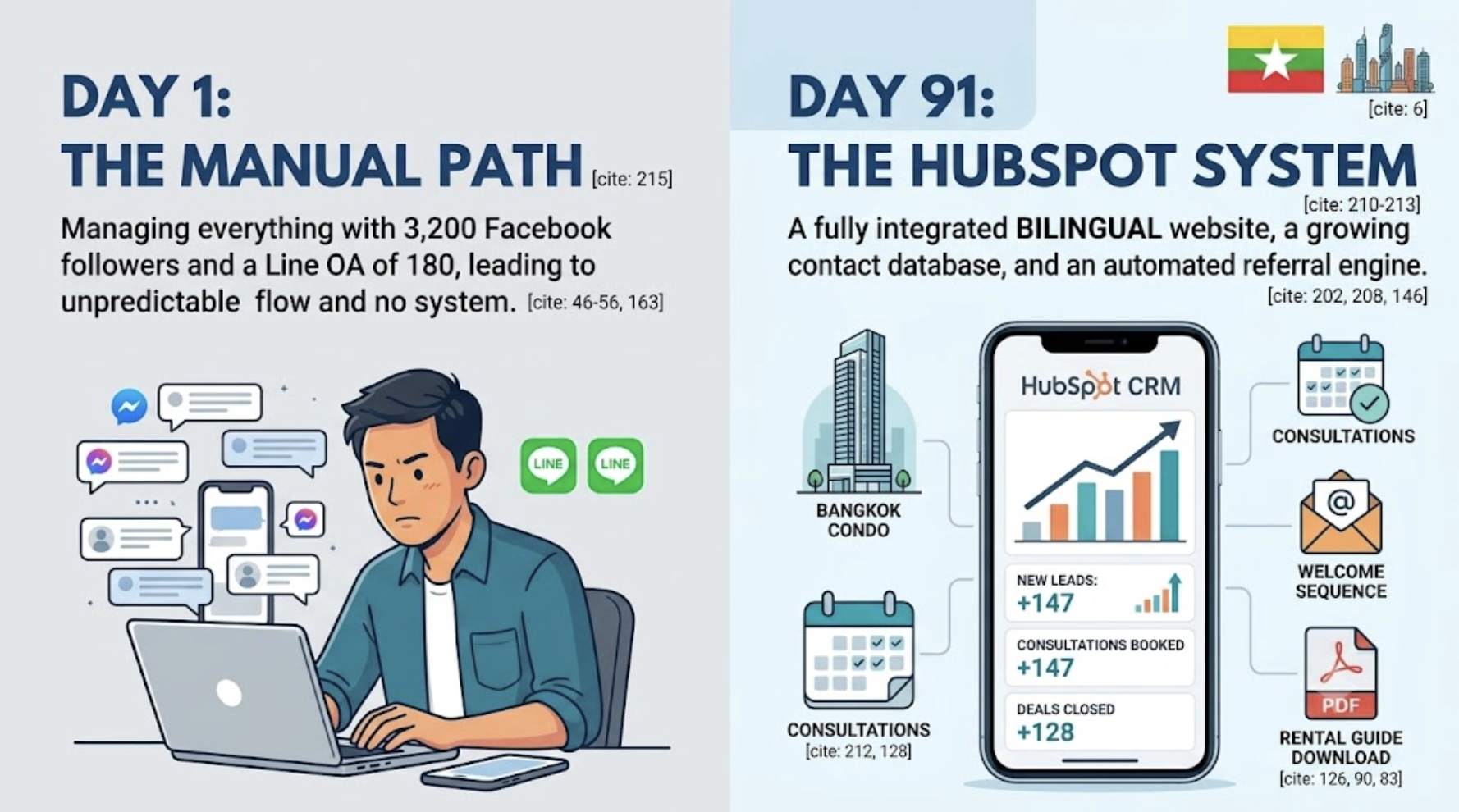
If the last point resonates , if you are currently running your business entirely on Facebook and Line with no website , the story of how a bilingual HubSpot site transformed a Myanmar real estate business in Bangkok is a directly relevant read. You can find it in the blog post Landscape of Digital Marketing in Myanmar 2026 which covers the platform environment that makes a proper digital foundation so important for Myanmar businesses right now.
Conclusion: It Is Not About the Tool , It Is About the Stage
The spreadsheet versus HubSpot question is not really a technology question. It is a business stage question. A spreadsheet is the right tool for a business that is small, simple, and still figuring out its process. HubSpot is the right tool for a business that has a repeatable process, a growing pipeline, and ambitions that require it to be more systematic, more responsive, and more data-informed than it currently is.
Neither tool is inherently superior. Both have a time and a place. The mistake is not using a spreadsheet when you are starting out , that is entirely sensible. The mistake is continuing to use a spreadsheet when your business has clearly outgrown it, and treating the resulting friction, missed leads, and manual overhead as just 'part of running a small business.' It is not. It is the cost of the wrong tool at the wrong stage.
If you have been reading this post and recognising your business in the descriptions of what a spreadsheet cannot do , the forgotten follow-ups, the invisible warm leads, the team coordination problems, the inability to see your pipeline clearly , that recognition is useful information. It is telling you that you have probably crossed the threshold where HubSpot starts to make more sense than your current setup.
The good news is that crossing that threshold does not require a big budget, a technical background, or weeks of disruption to your current operations. It requires a free account, a clean CSV export from your spreadsheet, and a willingness to spend a few hours building something that will pay you back in time and results for years.
Start with the free tier. Import your contacts. Set up your pipeline. Send one email template. And see how it feels to manage your business with a tool that is built for exactly what you are trying to do.